Case Study · Product Design, Systems Design & Development
Role: Product Designer, Systems Designer, Developer
Scope: Local-first ChordPro songbook for musicians — library, reader, writing desk, chord library, performance view, setlists, MIDI export, sharing
Stack: React 19, TypeScript, Vite, Material UI 7, VexFlow, Hono API, IndexedDB
Deploy: GitHub Pages at shonegrad.github.io/chorde
Repo: github.com/shonegrad/chorde (monorepo: web, API, shared)
What Chorde is
Chorde is a local-first ChordPro songbook for musicians. You keep a library of songs in your browser, read them with the chords above the words, transpose them, play them, and write your own. The product is the songbook, but the writer is the customer — most of the work went into the writing desk and the performance view rather than just reading music, because that is what the app is actually for.
Everything works offline. Your library lives in IndexedDB, changes sync across tabs via BroadcastChannel, and the app installs as a PWA. The only part that needs a server is the optional search-based import from public domain sources (OpenHymnal, etc.), which is hidden in production until an API host is configured.
Reading: chords over lyrics
The core reading experience puts each chord directly above the word it belongs to, the way printed chord sheets are laid out. A chord written in the middle of a word keeps its place, and two chords over the same word are both shown side by side. Transposition is key-aware — a song in B♭ keeps its flats when transposed. Capo shows the key the song actually sounds in. Nashville Numbers, tabs, and real notation (staves + tablature via VexFlow) are available as display modes.
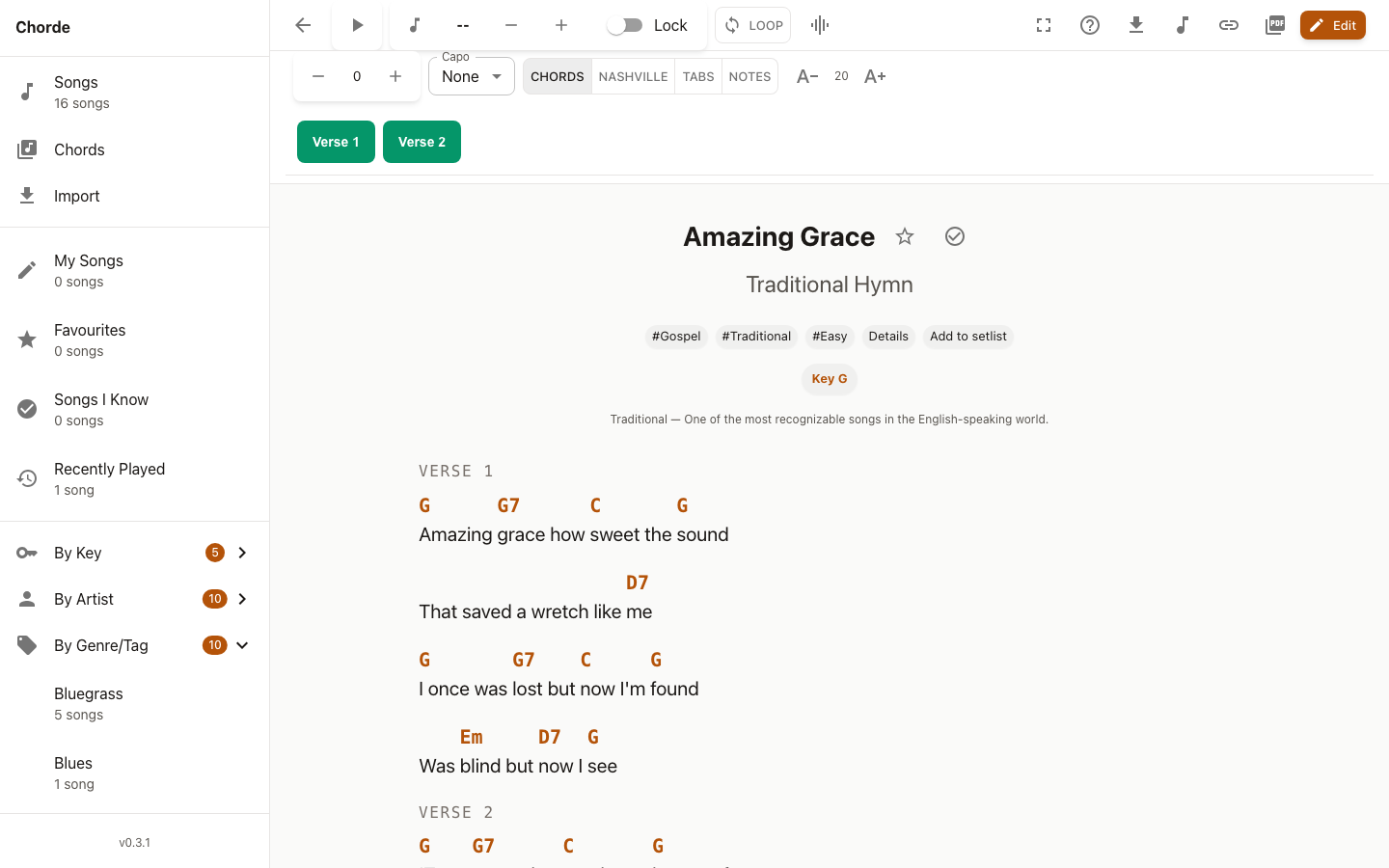
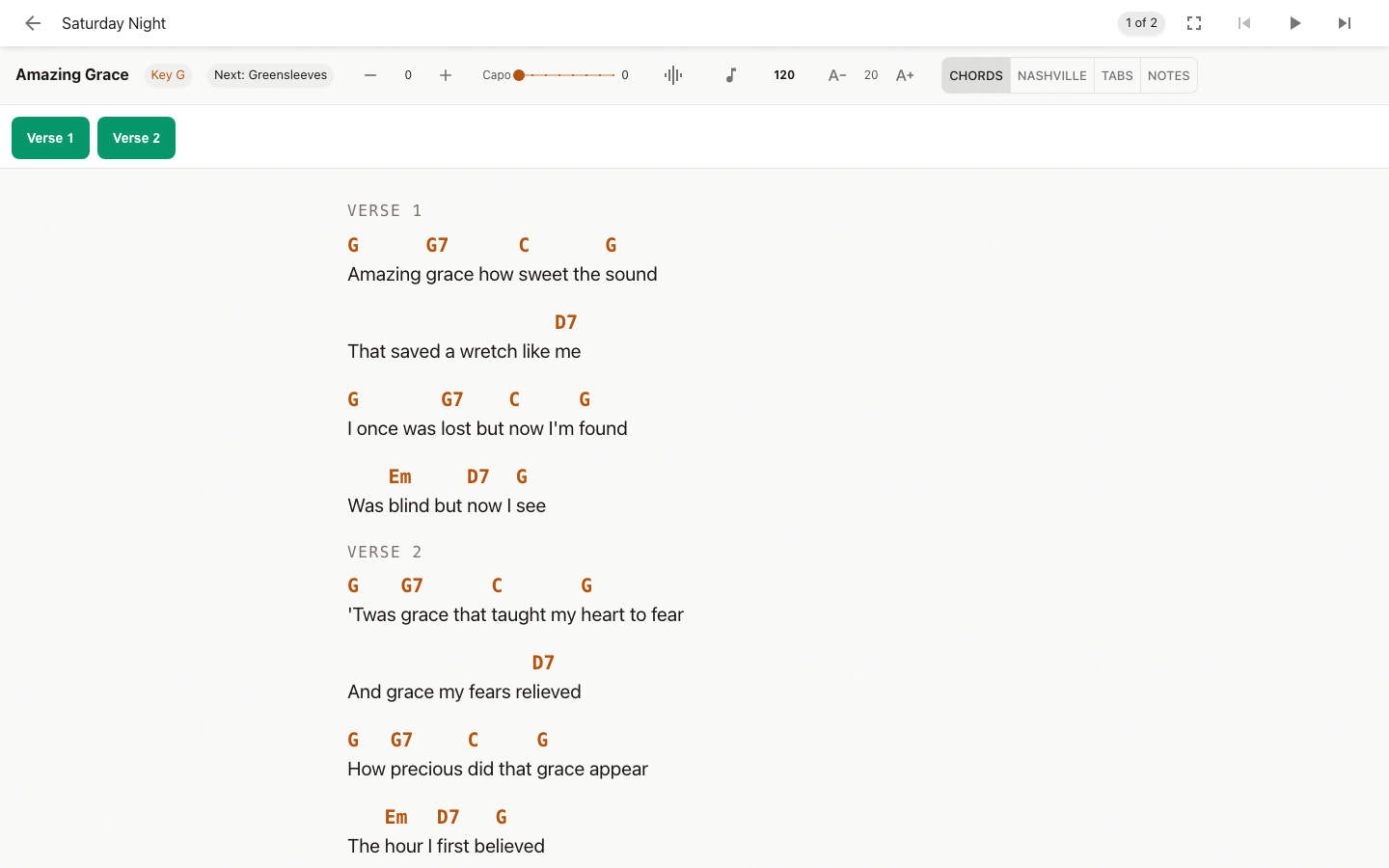
The reader supports comments, chord grids, and tablature blocks from the ChordPro file. A comment appears as a note under the words. A `{gc:}` directive draws the chord shape. A block of tablature is kept as written. Auto-scroll is paced by tempo with an optional count-in and click track. Loop sections for practice. Performance mode (fullscreen) for playing from a music stand. Remembers your text size, display mode, and per-song transposition.
The library: organise and find
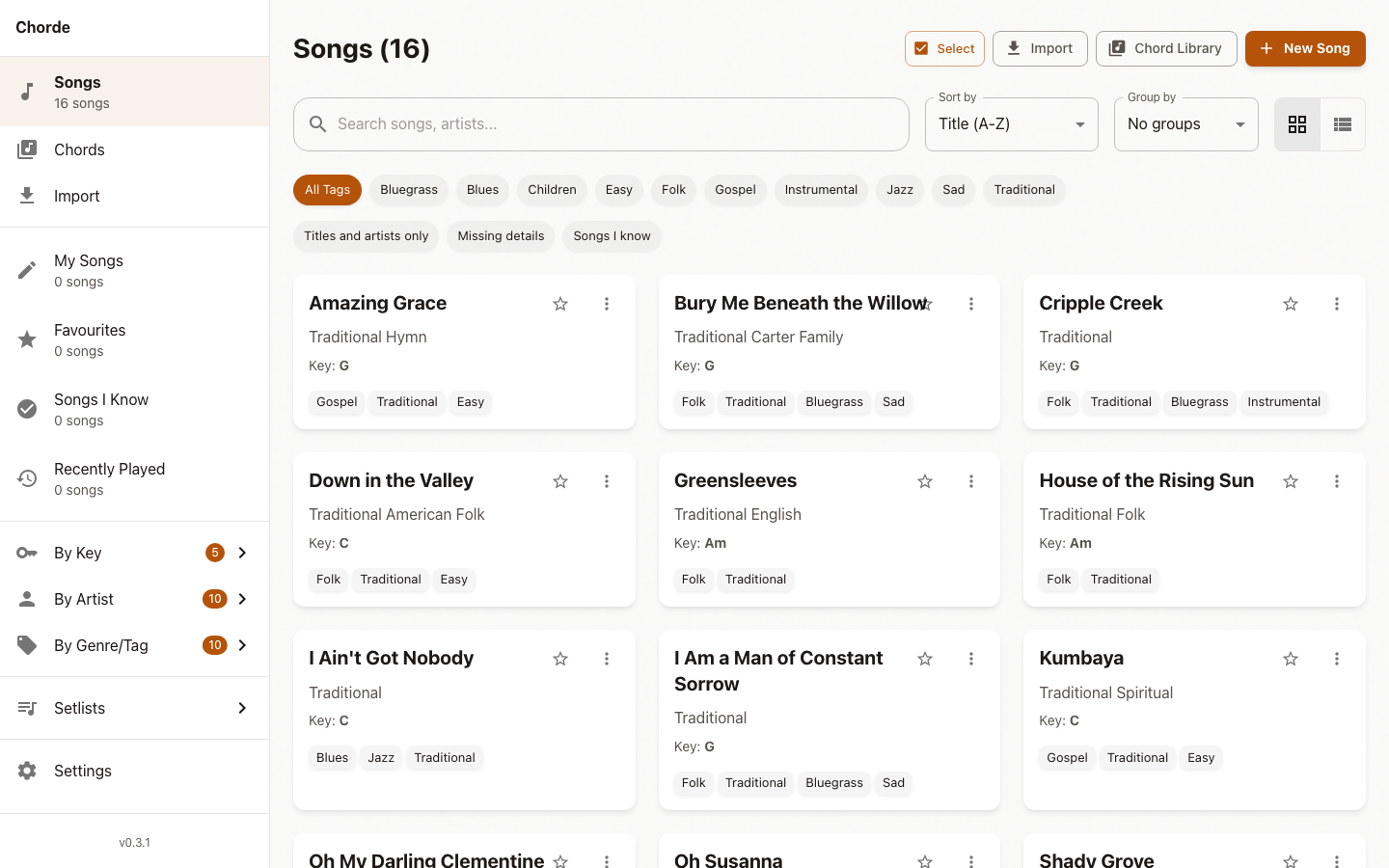
On a big screen a sidebar sits beside the music and stays in view, so every place in the app is one click away. On a phone it is a drawer and a bottom bar. Browse by Keys, Artists, and Genres with item count badges. Favourites, tags, sorting, searching inside lyrics, bulk actions (tag, transpose, add to setlist, delete), “My Songs” separate from the built-in ones. Backup and restore your whole library to a file.
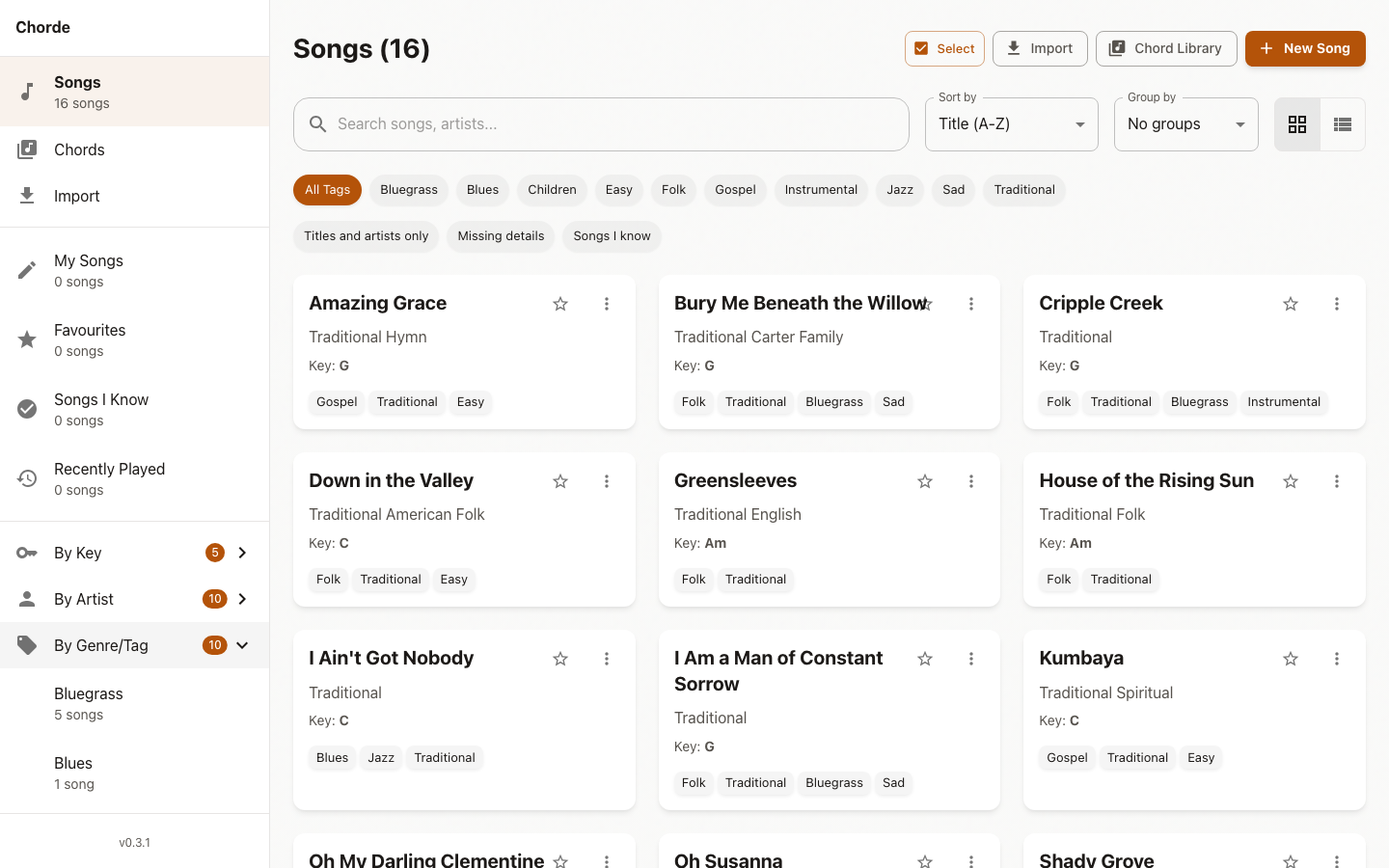
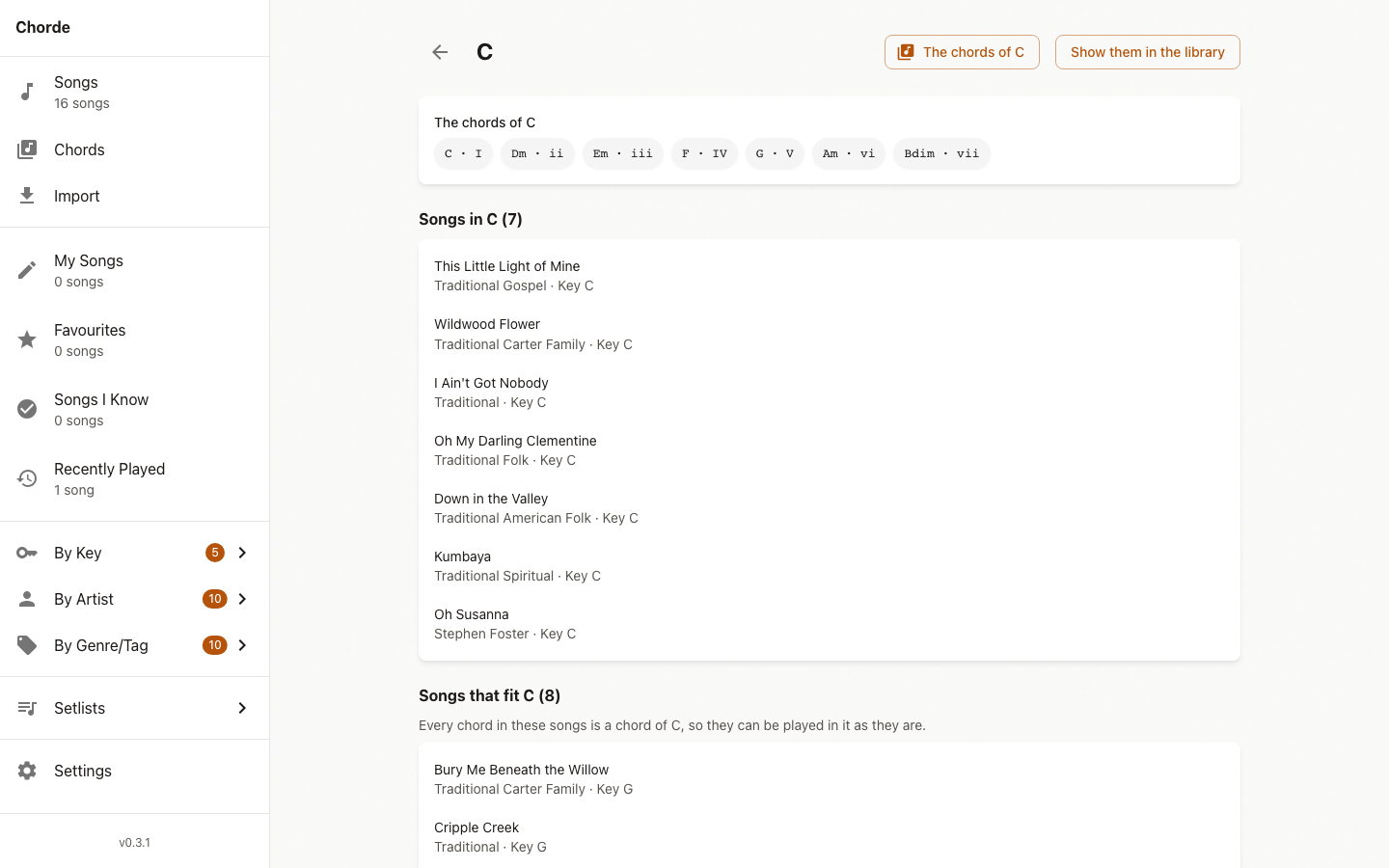
The key of a song is worked out from its chords, and the viewer offers to save it. Every chord says what it is made of and where it sits in the key. The chord library has a key reference. A key now has a page of its own: the chords of the key, the songs that are in it, and the songs that could be played in it because every chord they use is a chord of the key.
Chord library: diagrams, audio, and custom shapes
Browse chords and view multiple finger positions (variations). Strumming Audio Preview: listen to realistic guitar strum playback with position-based timing. Your Own Shapes: draw the shape you play a chord with, and the app draws that shape for that chord from then on. Your shapes are kept on your device and survive reloads. A shape for a chord the library already has replaces the library’s shape; removing yours brings the library’s back. The chord library shows which shapes are yours, and they can be taken away.
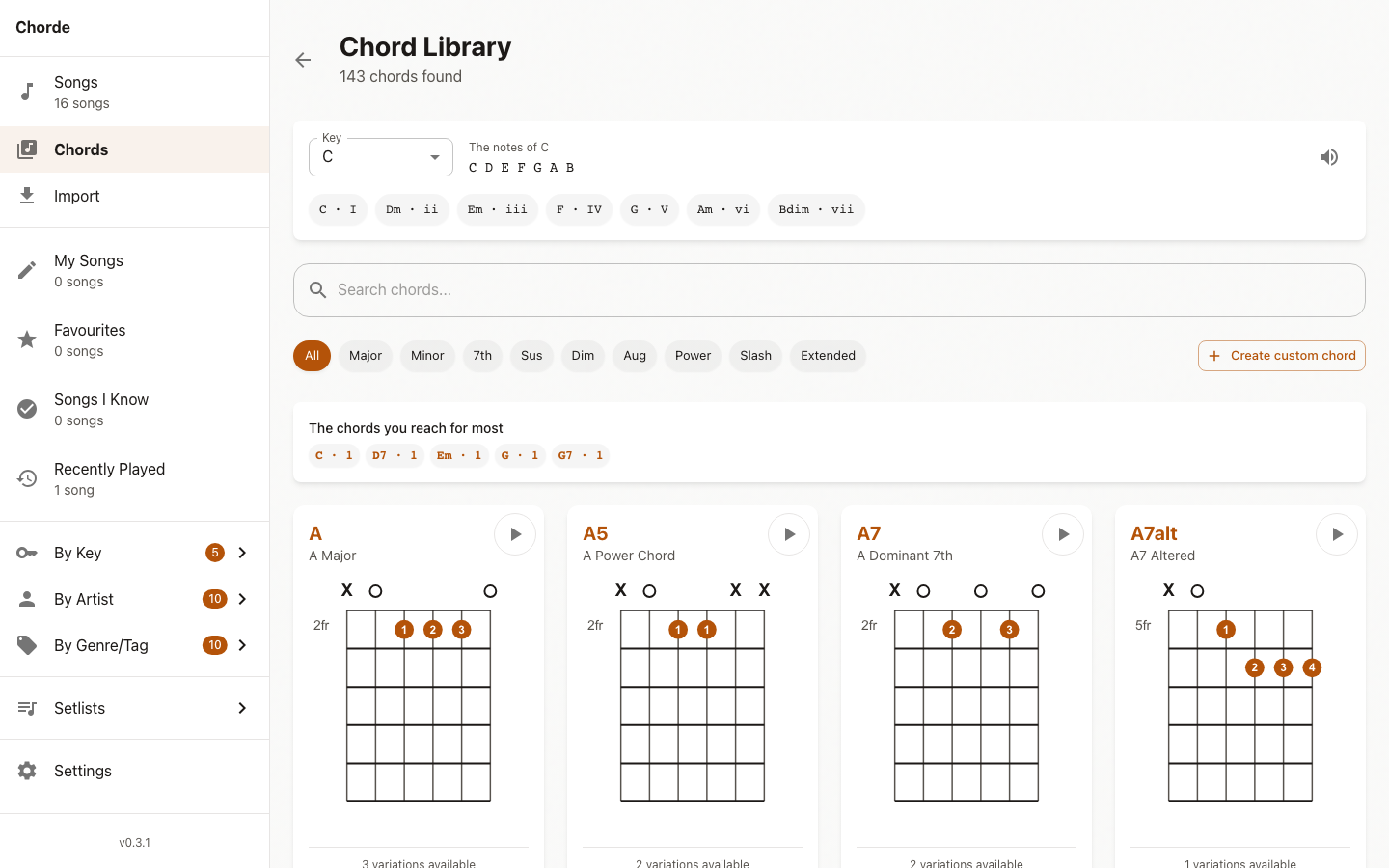
Every chord shape in the library is checked by a test that works out what each shape actually plays and compares it with the chord it claims to be. This test found six wrong shapes and ten chords that could not be found at all.
Writing desk: transcribe and compose
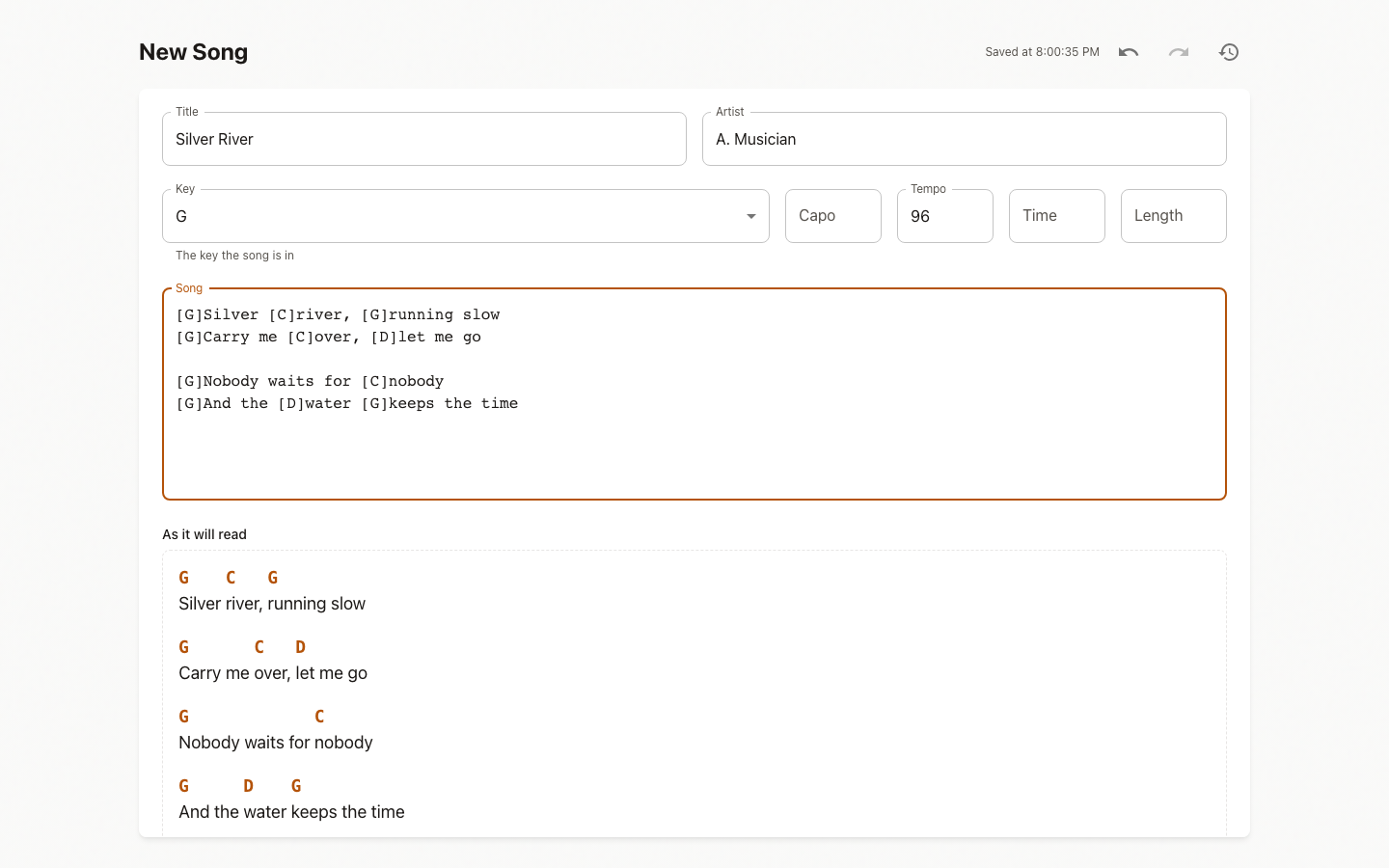
A real editor, not a text box. Chord palette that offers the chords of your key first, completion for chord names as you type, section palette, autosave, undo and redo, earlier versions, key detection that works out the key from what you wrote, a metronome and tap tempo. The song is read back as you write it under “As it will read”, with the chords over the words. Undo takes back a word, not a letter (changes grouped by merge window). Transpose what you have written without leaving the editor. “My Songs” kept separate from the built-in ones.
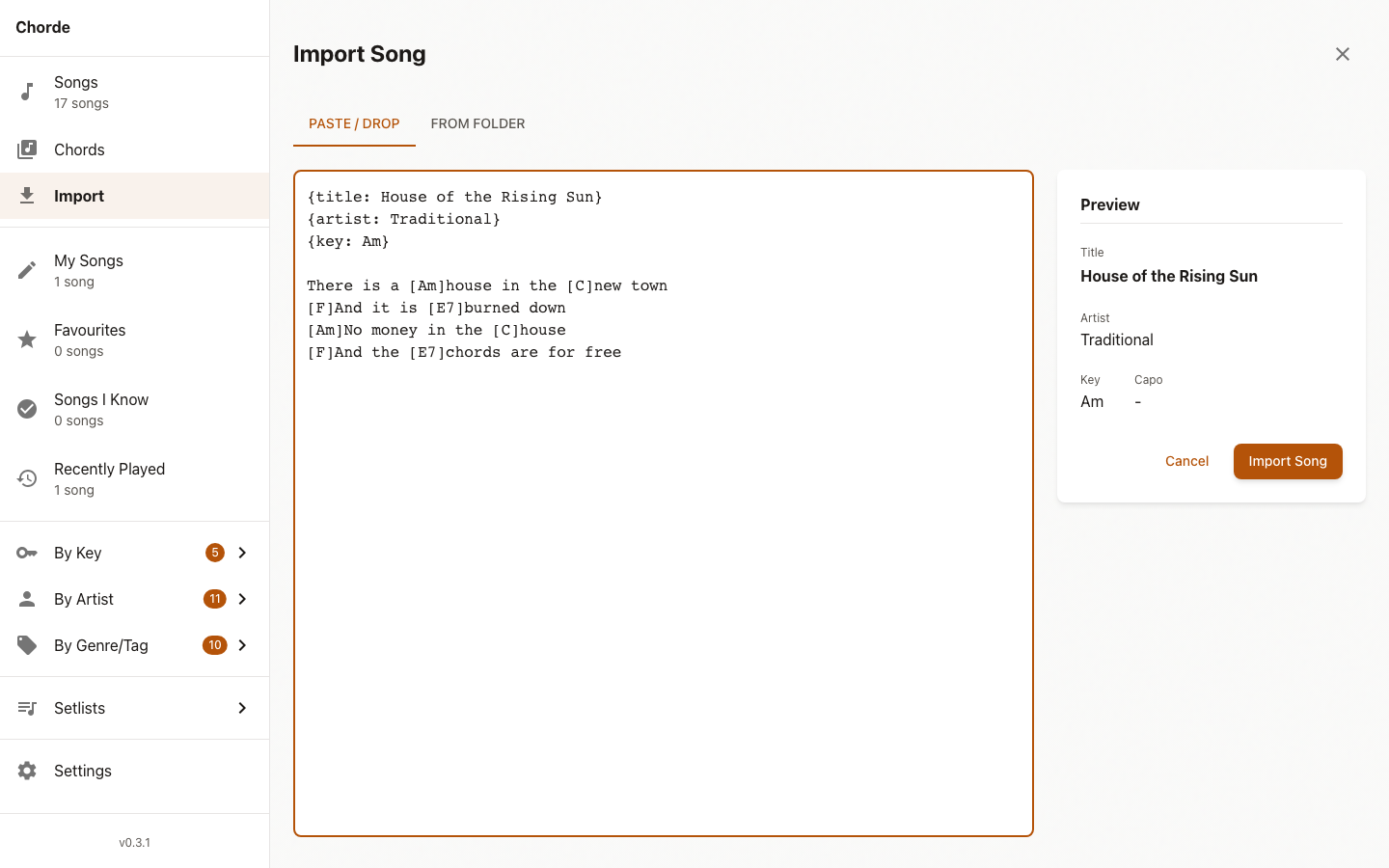
Getting songs in: ChordPro, OnSong, and the old `.crd` format, from pasted text, from files, from a folder you drop, or from a ZIP archive. A file that holds several songs is imported as several songs. All of it happens on your device, with nothing sent anywhere. Search-based import from public domain sources (OpenHymnal, etc.) — the closest match comes first, the same song is never listed twice, and the writer and key are shown with each result. Online search needs the API, which is not hosted yet, so the tab is hidden in production.
Performance view and setlists
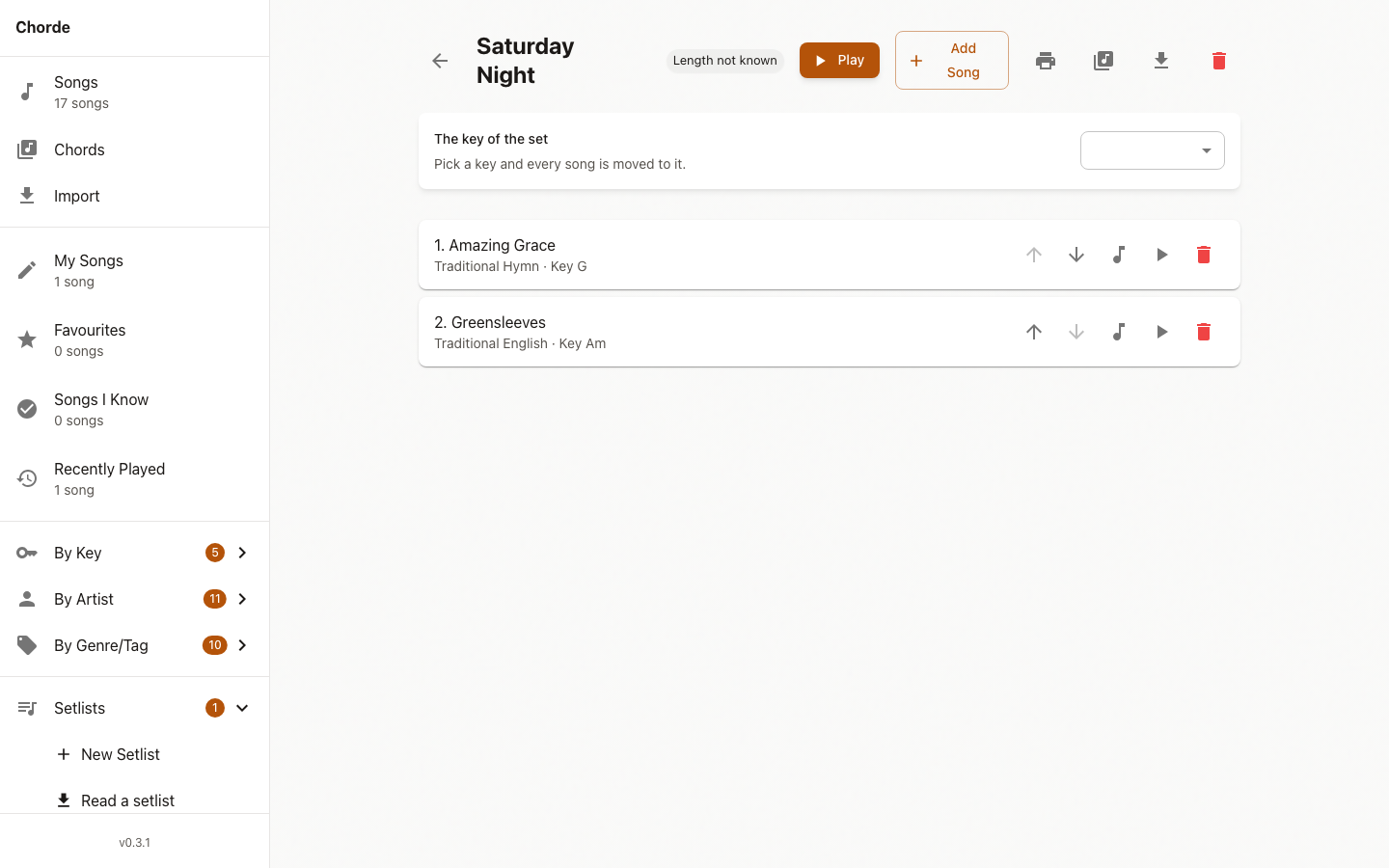
A setlist carries how each song is played (transposition, capo, notes, target key) and how long it takes. The performance view plays through them: count-in on the beat, auto-advance, full screen, size of the words, tempo you can tap in, sections to jump to, next song to come. The screen stays awake via `navigator.wakeLock`. A setlist says how long it takes, can be printed as a running order or with the songs one to a page, and can be written to a file and read back on another device. A song not in your library is kept in the set by its title, so the set still reads properly.
Real notation with VexFlow
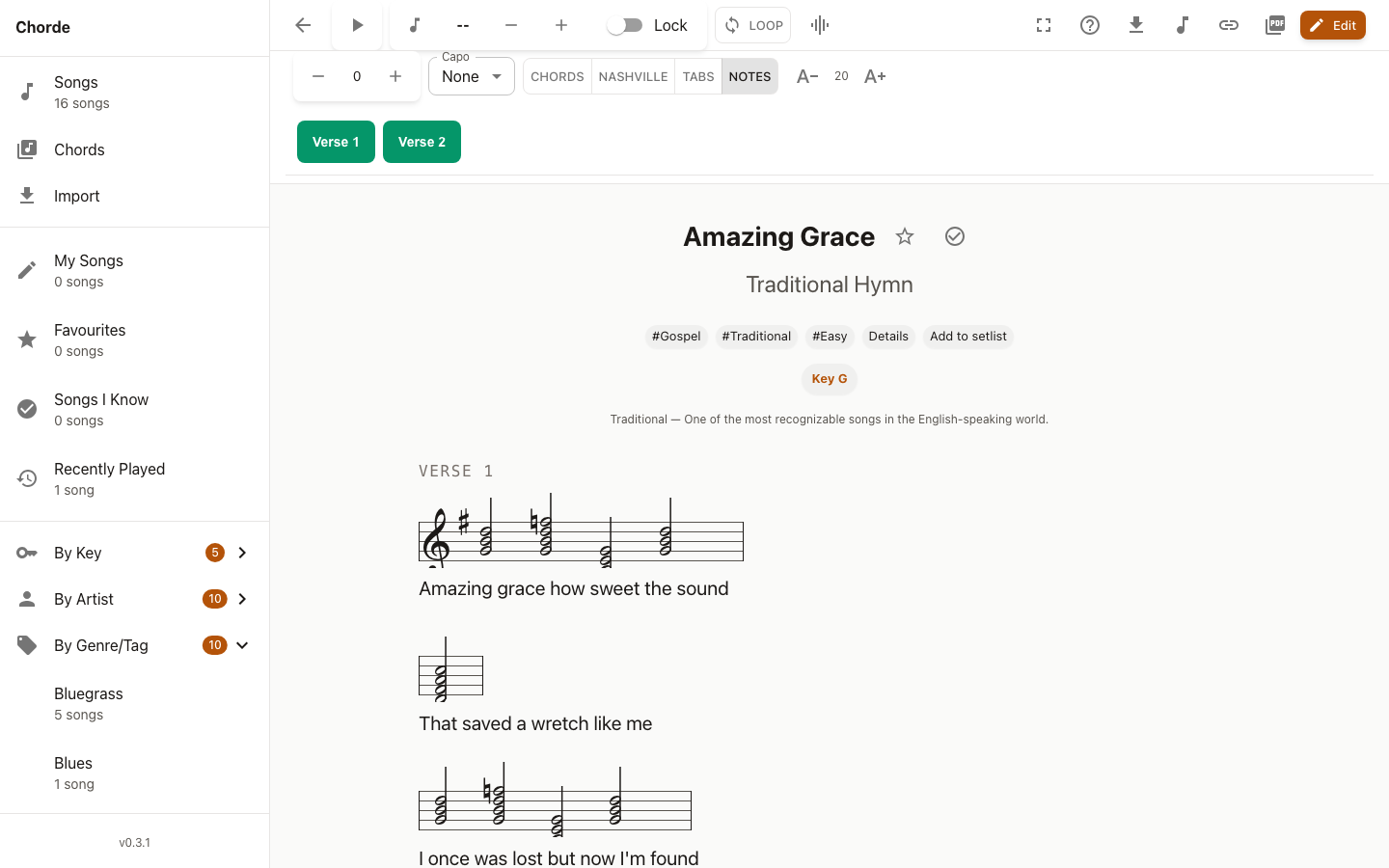
Chords are written out on a stave and in tablature, with the key signature of the song and the notes spelled the way a musician writes them. The seventh of a chord is the seventh letter — a minor seventh is a flattened seventh, not a sharpened sixth. The chord reference window (click a chord) shows the diagram, the tab, and the notes. VexFlow (MIT) renders the staves and tablature; the music font is cut down to the two dozen glyphs a chord needs and kept in the app, so notation works offline. VexFlow draws stems in black; they are recoloured to the ink colour after drawing, and given a margin so they are not cut off. The string in tablature is broken around the number instead of hidden by a rectangle.
Sound: guitar tone, metronome, MIDI export
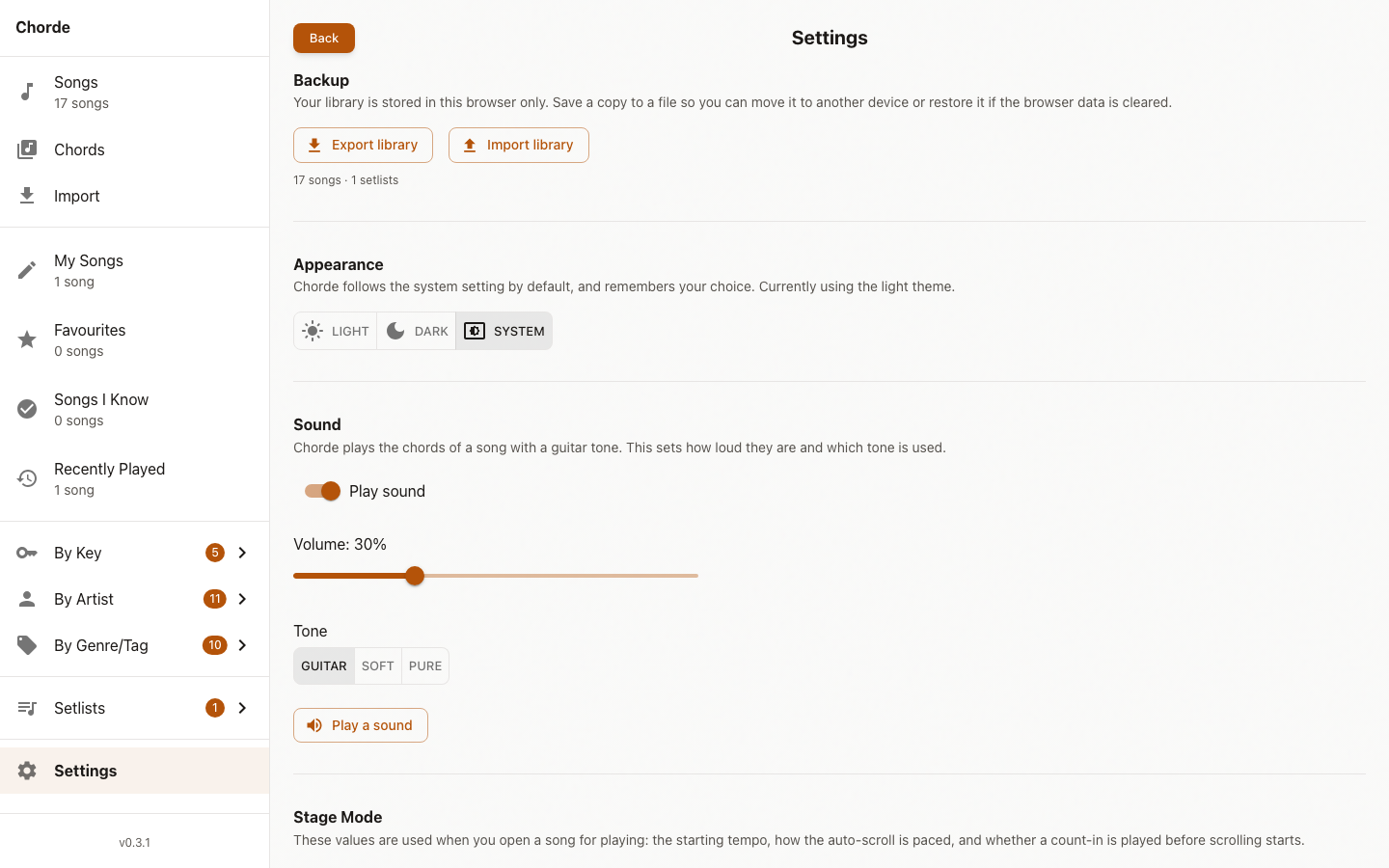
All sound goes through one module (`lib/audio.ts`): a guitar tone — two sawtooth waves a few cents apart through a lowpass filter that falls as the note decays. The count-in click and the metronome go through it too, so they follow the same volume, tone, and mute settings. Voicings turn a chord name into the notes it plays, using the shape from the chord library when there is one, working out the notes when there is not. Progression reads the chords of a song in order; a chord that follows itself is kept once; a chord that comes back later is kept. The chords of a song can be written to a Standard MIDI File — one chord to a bar, the changes of the song played as a loop to play along with.
Sharing: links, MIDI, backup
A song can be sent to somebody else as a link. The song is squeezed down with the browser’s `CompressionStream` so the link is not too long (a few hundred words → ~400 characters). No server holds the song; the link carries it. The app that opens the link reads the song out of it and offers to add it to the library. The link is shown in its own window so it can be copied by hand if the browser blocks clipboard access.
Backup and restore: export your whole library to a file and restore it on another device. Changes in another tab are picked up straight away via BroadcastChannel.
Settings, themes, accessibility
Light and dark follow the system setting by default, or pick one in Settings. The volume, the tone, and whether there is any sound at all are set in the settings. Keyboard friendly: arrow keys transpose, `+` and `-` change the text size, space starts the auto-scroll, `?` shows the full list. The chord-over-lyrics layout is selectable and readable by a screen reader.
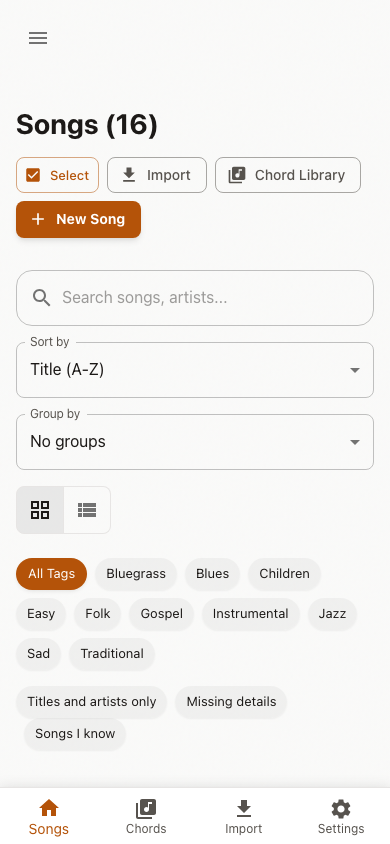
Works on a phone: a bottom navigation bar keeps every screen within reach, and the song viewer takes the whole screen for playing. Responsive design works great on desktop and tablets.
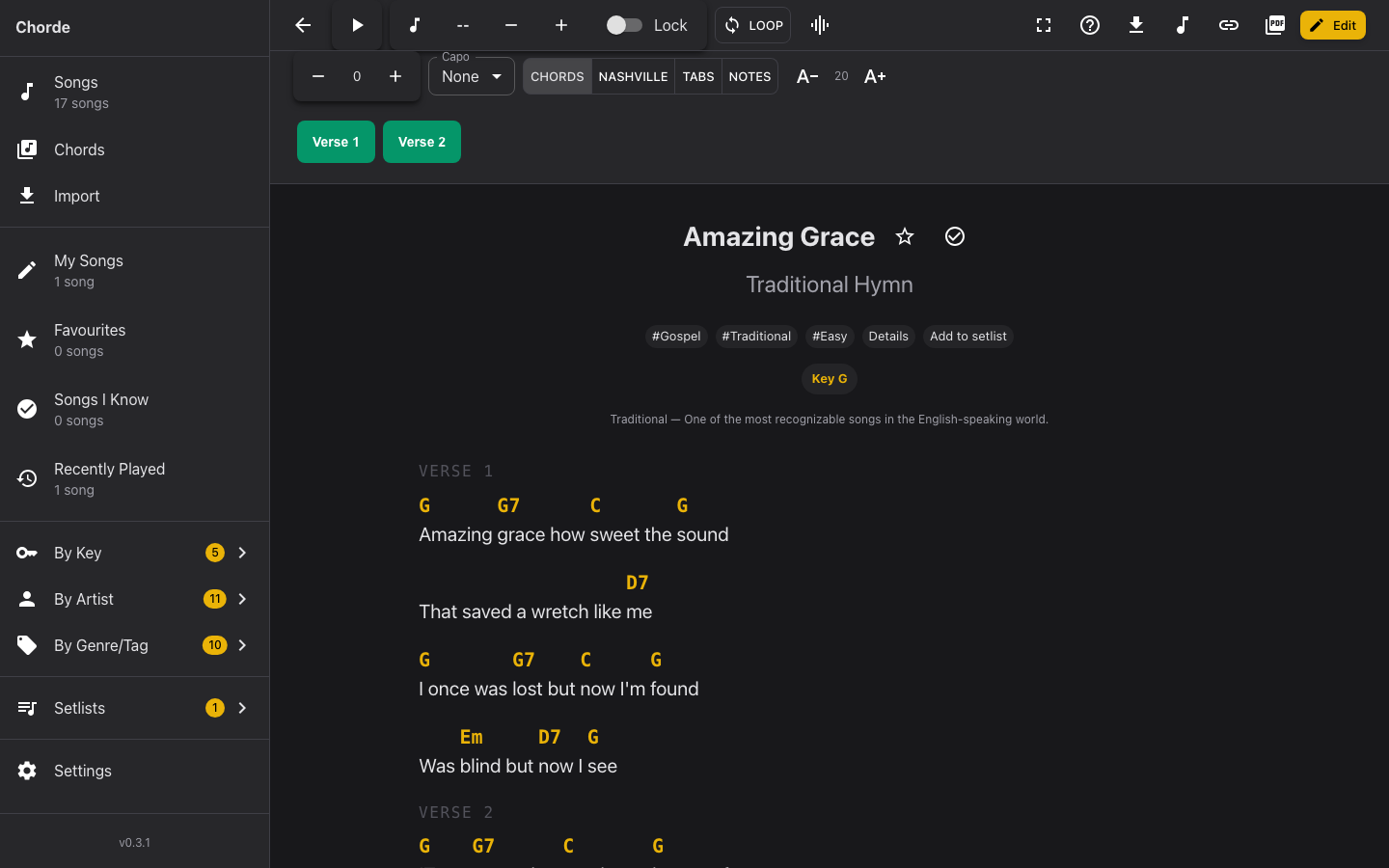
Dark theme follows the system setting or can be picked in Settings. VexFlow stems are recoloured to the ink colour so they remain visible on dark backgrounds.
Architecture: monorepo, shared types, 661 tests
The project is a monorepo with three packages: web (React frontend), api (Hono backend for song search), and shared (TypeScript types built once, imported by both). The shared types are the single source of truth — a second copy of a type is what made the licence field disappear once already.
Tests: 522 unit tests (447 web, 68 API, 7 shared) + 171 E2E tests across Chromium, WebKit, and a mobile viewport. Every chord shape is checked: the test works out what each shape actually plays and compares it with the chord it claims to be. Only public domain songs ship — a test gates the reviewed list in `packages/web/src/lib/__tests__/songValidation.test.ts`.
Rules of the project
- Only public domain ships. A song is public domain when the song is out of copyright, not merely a recording. Adding a song means adding it to the reviewed list — that test is the gate.
- Every chord shape is checked. The test works out what each shape plays and compares it with the chord it claims to be.
- Shared types live in one place. `packages/shared` is built and both packages import it. No second copies.
- Do not nest buttons. A button inside a button is invalid and the inner one silently stops working.
- The scroll is shared. `lib/useAutoScroll.ts` is used by both the reader and the performer.
- Keep the chord over its word. The chord is absolutely positioned so a wide chord never pushes the lyrics apart.
- All sound goes through `lib/audio.ts`. The count-in, the metronome, and the chords all play through it, so they follow the volume and the tone the user has chosen.
What is next
The API needs a host. It is a decision rather than a piece of work: until it has one, online search is hidden in production. Everything else in the app works without it.
What a musician would notice the app cannot do yet:
- Play along with a recording. The app plays the chords of a song; there is no backing track and no way to keep to one.
- Share a song as a file that keeps words, key, and chords together. The ChordPro file and the MIDI file each keep part of it.
- The library is not a catalogue of what you want to learn. No place to say “I want to learn this one”, and so no list of what is left to learn.
- The player cannot see the shape of the chord and the words together while playing, only one or the other.