A UX case study on turning a fragmented education ecosystem into a navigable network, with interactive tools for exploring people and organizations, finding events, and accessing shared resources.
Explore the interactive FQDE prototype ↗
Designing a shared digital environment for educators, associations, and institutions across Quebec
FQDE brings together educators, associations, and institutions across Quebec. The challenge was to make this distributed ecosystem easier to understand and navigate: who is part of the network, how organizations relate to one another, which events are taking place, and where shared resources can be found.
I joined the project as a UX consultant, working alongside an external development team. I interviewed institutional directors, administrators, and coordinators, translated their coordination challenges into product direction, and developed an interactive front-end prototype to make the proposed experience concrete.
The problem: a network without a shared view
The original brief focused on communication and visibility. FQDE wanted to announce decisions and initiatives, promote events, support attendance planning, share documents, and make member organizations and individuals more visible to one another.
These requests were connected by a deeper problem: people lacked a reliable shared view of the ecosystem. Knowledge was distributed across personal contacts, email threads, and disconnected tools. Members could have limited visibility beyond their immediate circles, while administrators had difficulty communicating the breadth of the network and its activity.
The issue was structural. Adding another announcement channel would not, by itself, help people understand how the network was connected or find the right information when they needed it.
Discovery: understand the work behind the requests
I conducted semi-structured interviews with institutional directors, administrators, and coordinators. The aim was to understand how people discovered initiatives, coordinated events, shared information, and worked around gaps in the existing process.
Two needs shaped the design direction:
- Make the network legible. People needed ways to discover educators and organizations beyond their immediate contacts and understand the relationships between them.
- Make information actionable. A directory, event listing, or resource library would only help if people could search, filter, inspect details, and move between related information.
This shifted the product question from “How do we publish more information?” to “How do we help people navigate a complex professional ecosystem?”
Designing the network as a navigable system
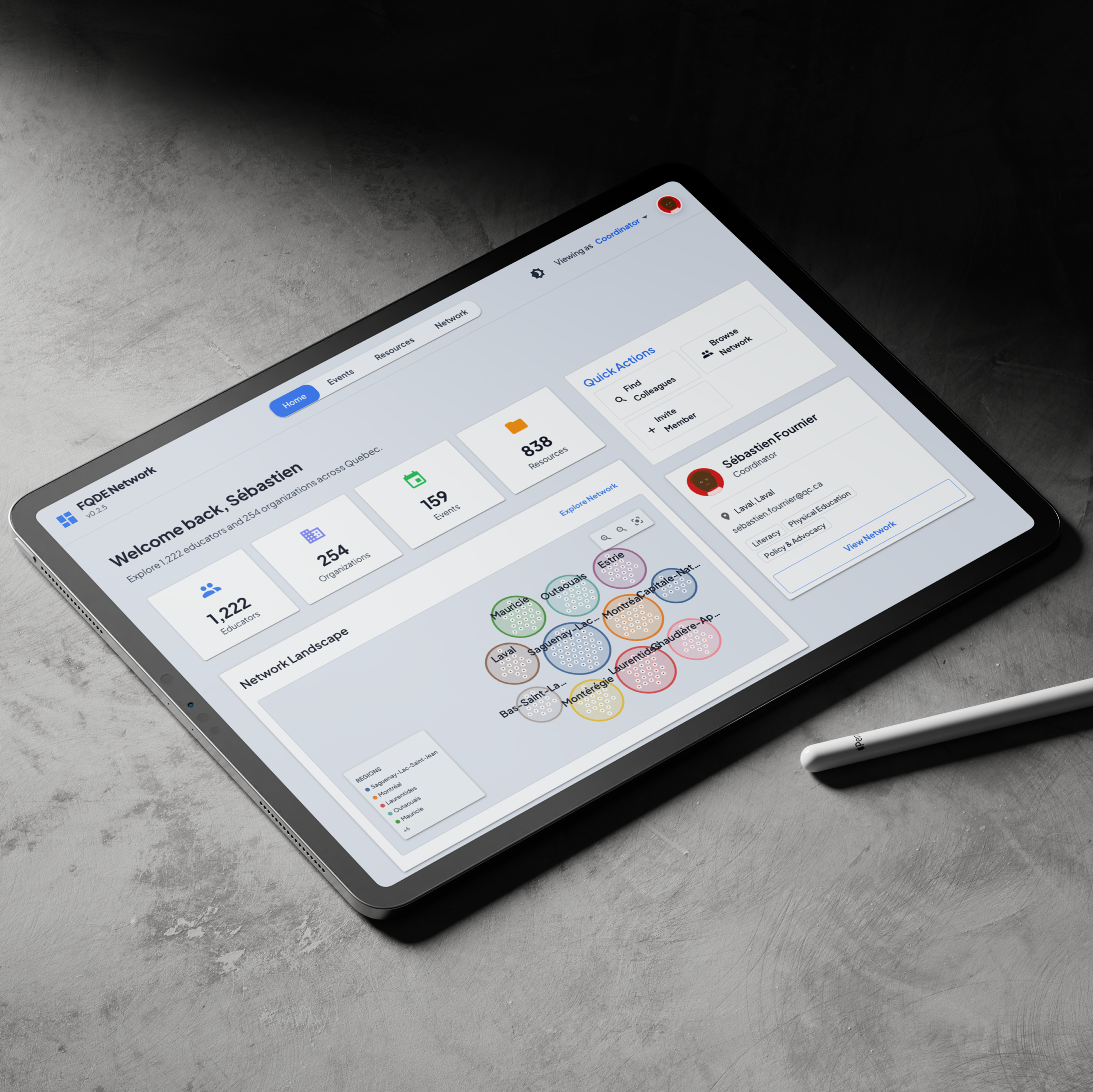
The prototype organizes the experience around four connected areas: a network explorer, events, resources, and a home view that brings key information together. Each area serves a different task while using a consistent interface and shared data model.
1. Explore people and organizations
The Network Explorer gives users more than one way to understand the ecosystem. They can move between visual network views and a directory, search across organizations and members, and group organizations by tags, region, type, or association. Selecting a result opens more detail about the entity and its place in the network.


The visual view helps communicate the shape of the ecosystem. The directory supports a more direct task: finding a particular person or organization. Keeping both approaches available accommodates exploration and purposeful lookup within the same area.
2. Find events and understand their schedules
Events are available through searchable list and calendar views, with filtering by city. An event detail view brings its overview, dates, location, and sessions together. For events with multiple sessions, the timeline presents the schedule as a set of time-based blocks, making concurrent sessions easier to compare.


This makes the program easier to scan and inspect than a long, undifferentiated schedule. The current prototype demonstrates event discovery and schedule visualization; it should not be read as a production ticketing or attendance-management system.
3. Browse and filter shared resources
The Resource Library provides search, type filters, and visibility filters for public, network, and organization-only material. Resource details show supporting metadata and a simulated preview for mock content. Users can also save resources in the prototype.
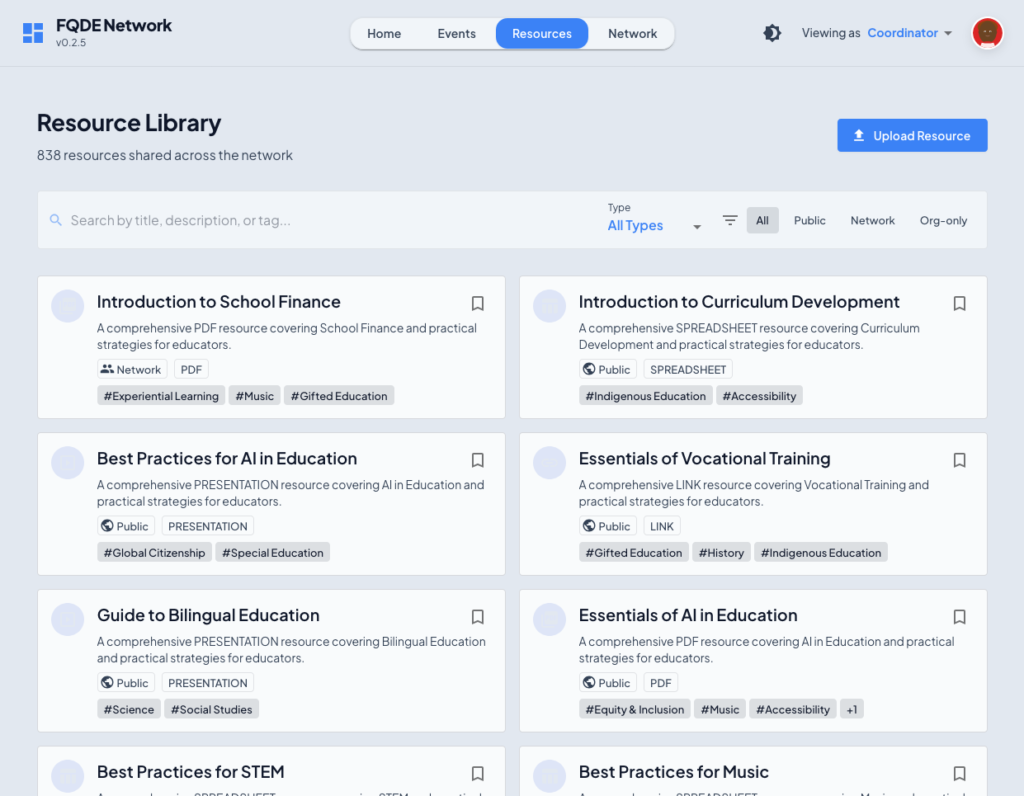
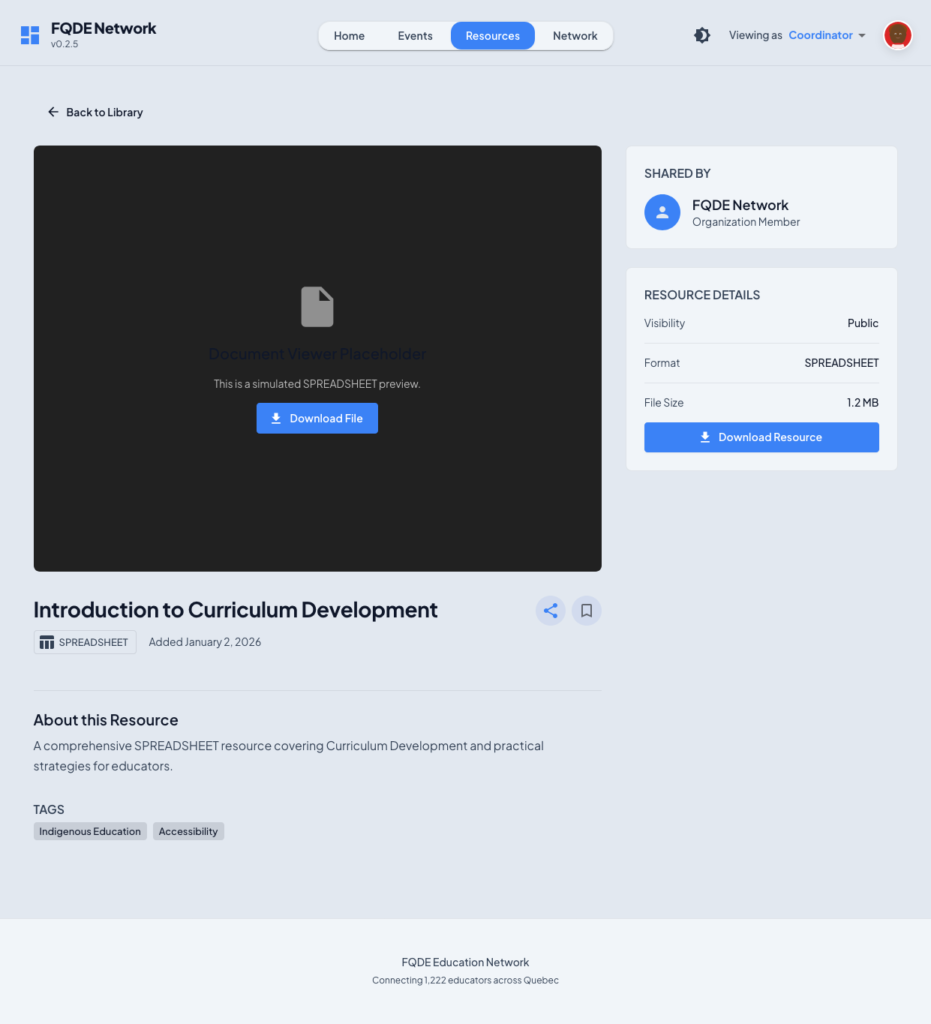
The design treats resources as part of the network rather than as an isolated list of files. Ownership and visibility help communicate where an item belongs and who it is intended for.
4. Bring the main tasks together
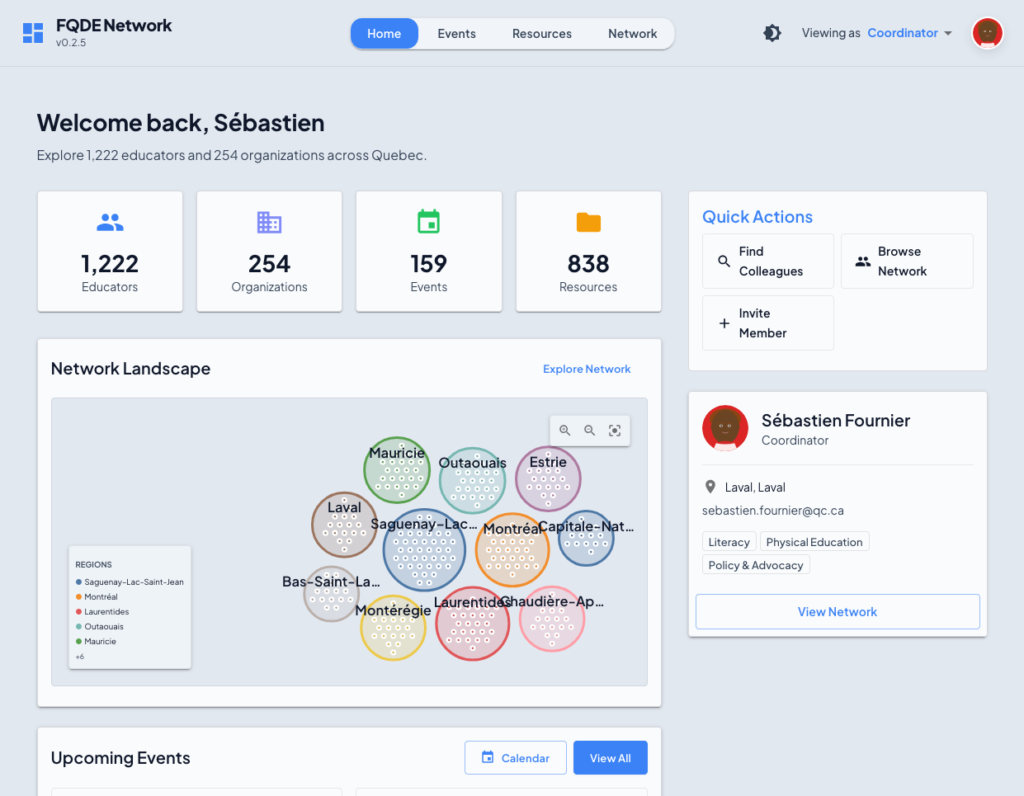
The home view summarizes the prototype’s data across educators, organizations, events, and resources. It offers entry points into the network explorer, upcoming events, and public resources, so users can move from an overview to a specific task without having to understand the entire application first.
Prototyping the system at realistic scale
I built a working front-end prototype to demonstrate how these areas could fit together and to make interaction decisions tangible. Rather than relying on static screens, the prototype supports navigation, search, filtering, profile details, event schedules, and resource discovery.
It uses generated mock data shaped around Quebec’s bilingual and regional context. The current dataset includes:
- 1,222 people
- 254 organizations
- 28 associations
- 159 events
- 3,982 sessions
- 838 resources
- More than 8,000 relationship records
These figures describe the prototype dataset, not verified membership or usage statistics for FQDE.
The scale also made performance a design consideration. The implementation uses virtualized directory lists and an optimized network visualization to keep large collections practical to explore.
Open the working prototype ↗ · View the source on GitHub ↗
Working within institutional constraints
The project involved multiple organizations, distributed responsibilities, and an external development team. There was no single internal product owner with authority over every part of the ecosystem. Decisions therefore needed to account for institutional sensitivities and the different ways groups operated.
My role combined discovery, UX strategy, interaction design, and prototyping. The prototype served as a shared reference for discussing the proposed experience: stakeholders could respond to concrete navigation and workflows rather than interpreting isolated descriptions or static screens.
What the prototype demonstrates
The outcome of this design work is an interactive model of how a distributed education network could be explored through one coherent interface. It demonstrates:
- Multiple ways to browse and search people and organizations.
- Visual exploration of organizational relationships alongside a practical directory.
- Event discovery through list and calendar views, with detailed session timelines.
- Resource discovery through search, type, and visibility filters.
- A shared information structure connecting the network, events, and resources.
These are demonstrated prototype capabilities. The dataset is synthetic, and the prototype does not establish production adoption, improved attendance, increased engagement, or operational impact. Those outcomes would require implementation and evaluation with real users and institutional data.
Reflection
This project reinforced the value of treating coordination as an information architecture problem. When a network is distributed across people, organizations, events, and resources, the design challenge is to make relationships visible while still helping users complete concrete tasks.
The most useful shift was moving from a list of communication features toward a navigable model of the ecosystem. The prototype makes that model tangible and provides a foundation for further stakeholder review, usability testing, and implementation planning.eople clear, structured mental models so they can reason about it and make good choices.